01
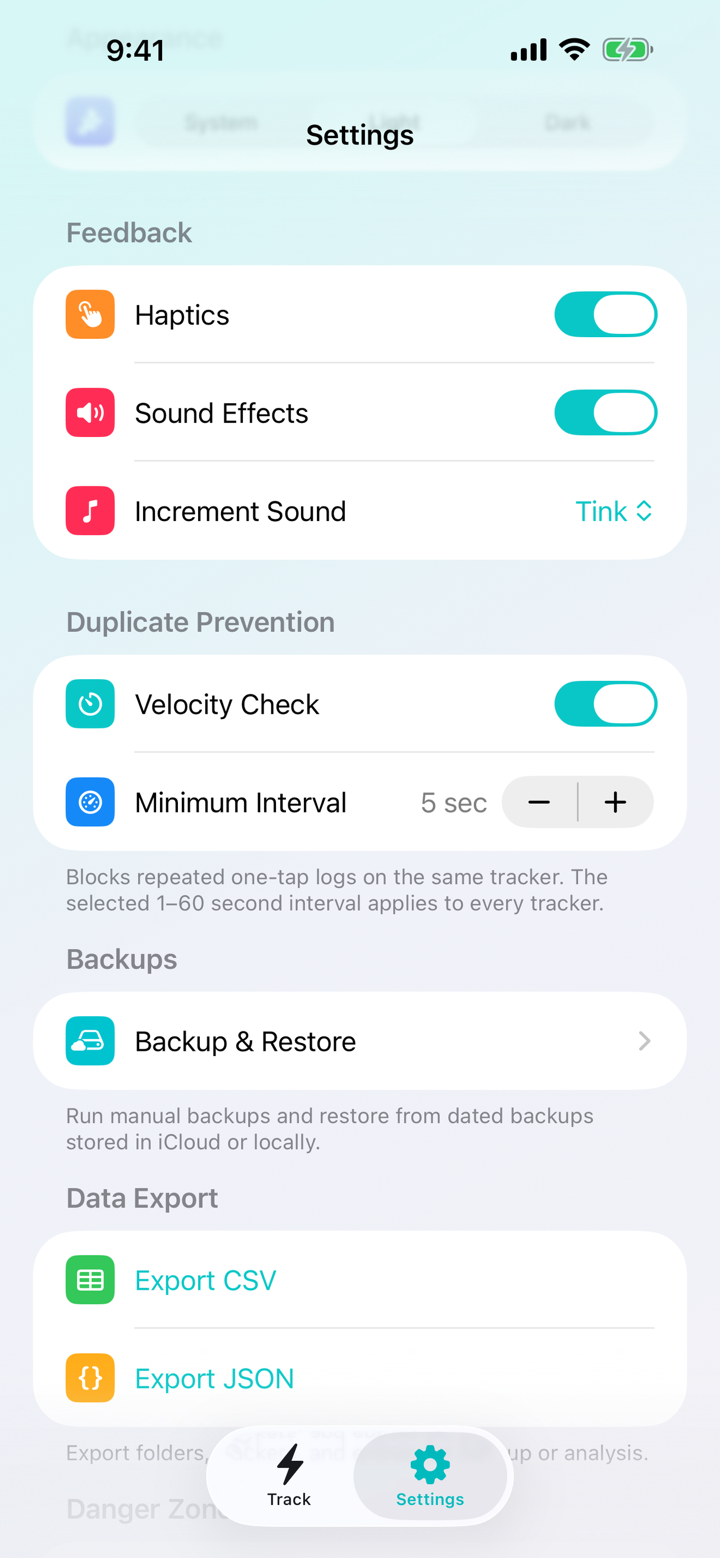
Velocity Check
Tap once. Log once.
Prevent accidental rapid duplicates across iPhone, Home Screen widgets, and Apple Watch. Set a system-wide interval from 1–60 seconds or switch it off whenever you want.
 Trackalot

Trackalot for iPhone and Apple Watch
Log the moments that matter without breaking your stride. Trackalot turns quick taps into a useful, private history—and version 1.3 makes every tap count!
No account. No ads. No third-party analytics.
New in Trackalot 1.3
Version 1.3 is a reliability release built around the moments when logging needs to be effortless—and fixing a mistake needs to be just as easy.
Velocity Check
Prevent accidental rapid duplicates across iPhone, Home Screen widgets, and Apple Watch. Set a system-wide interval from 1–60 seconds or switch it off whenever you want.
Automatic protection
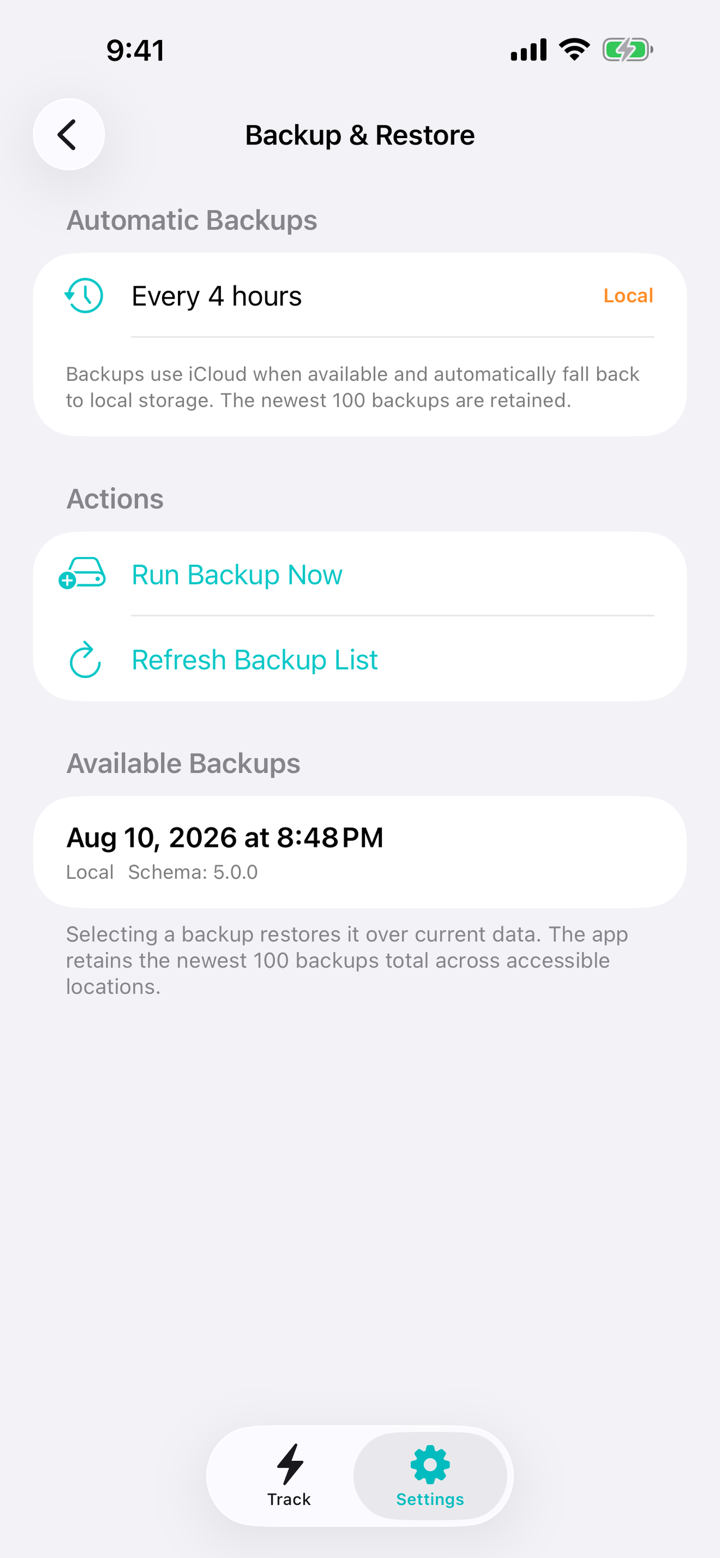
Automatic backups target every four hours, prefer iCloud when available, and fall back to local storage. Trackalot retains the newest 100 backups and can offer to restore your history after a reinstall.
Direct gestures
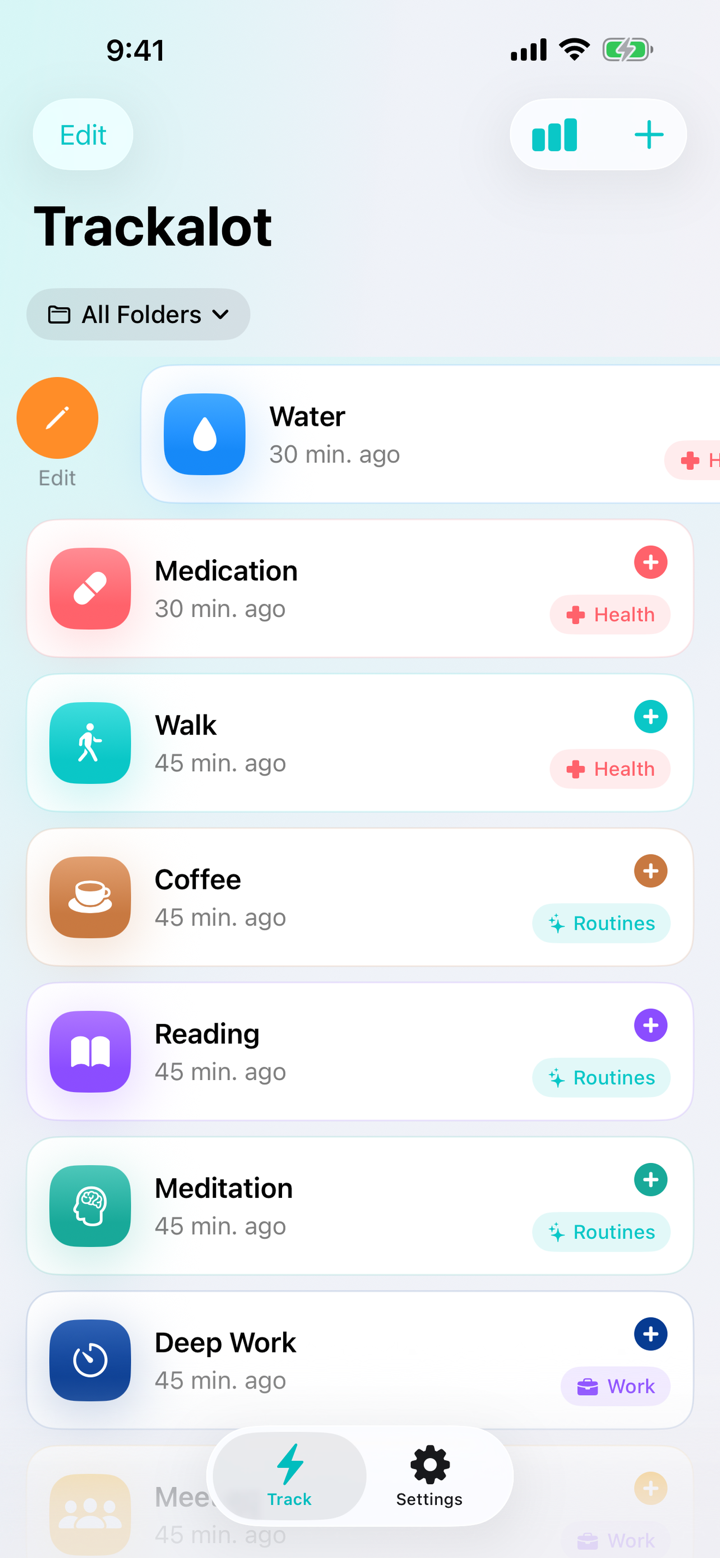
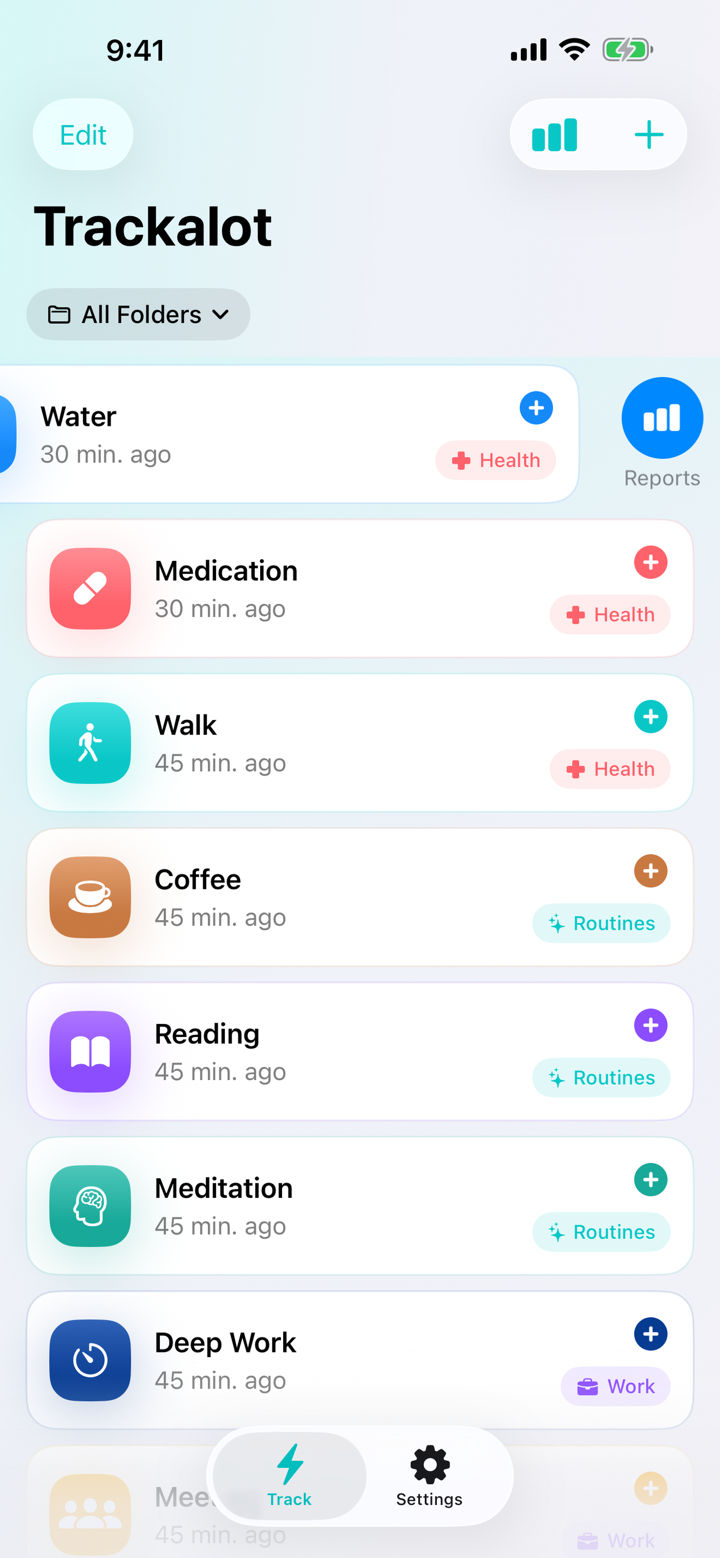
Swipe right on any tracker to edit it. Swipe left to open its report. Shake your iPhone anywhere in the app to review and undo the newest log.
Closer reporting
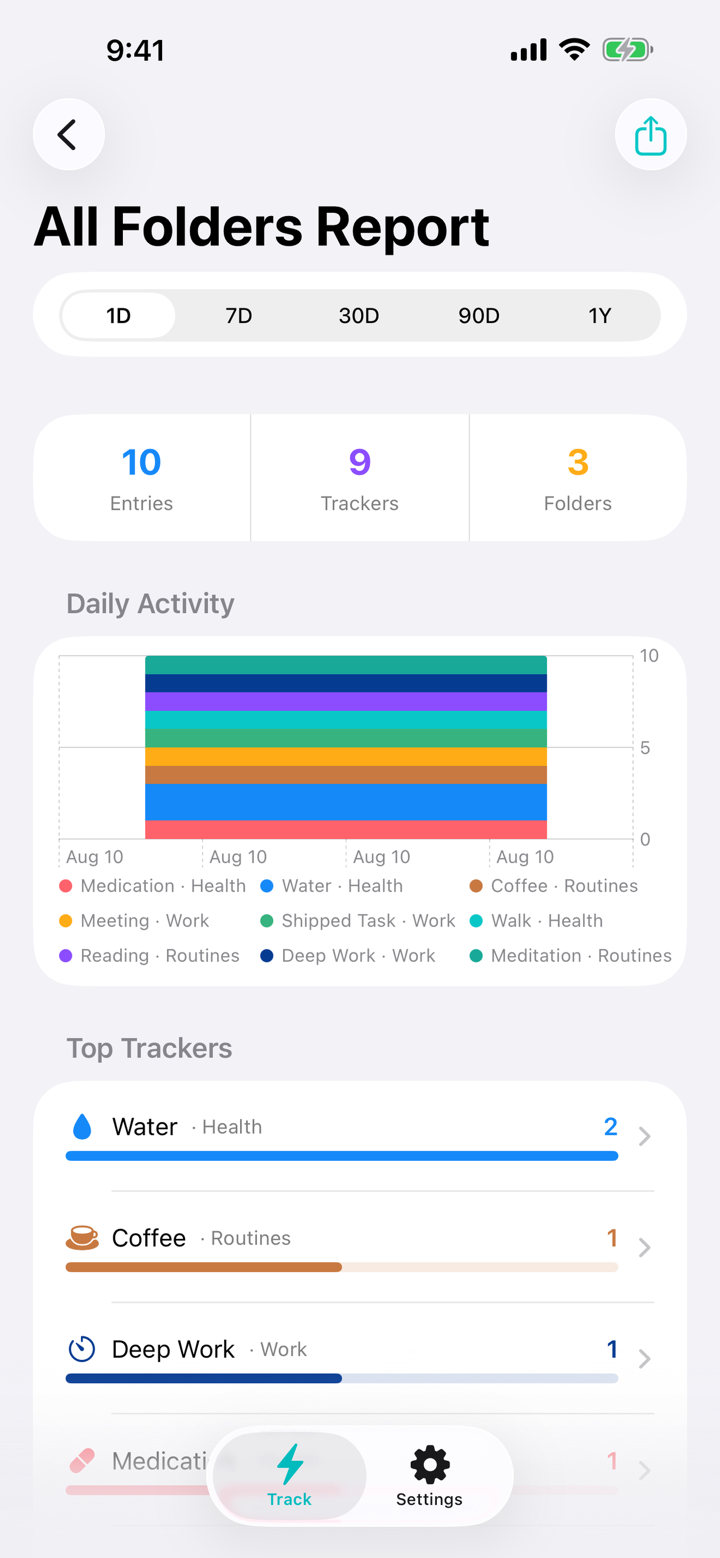
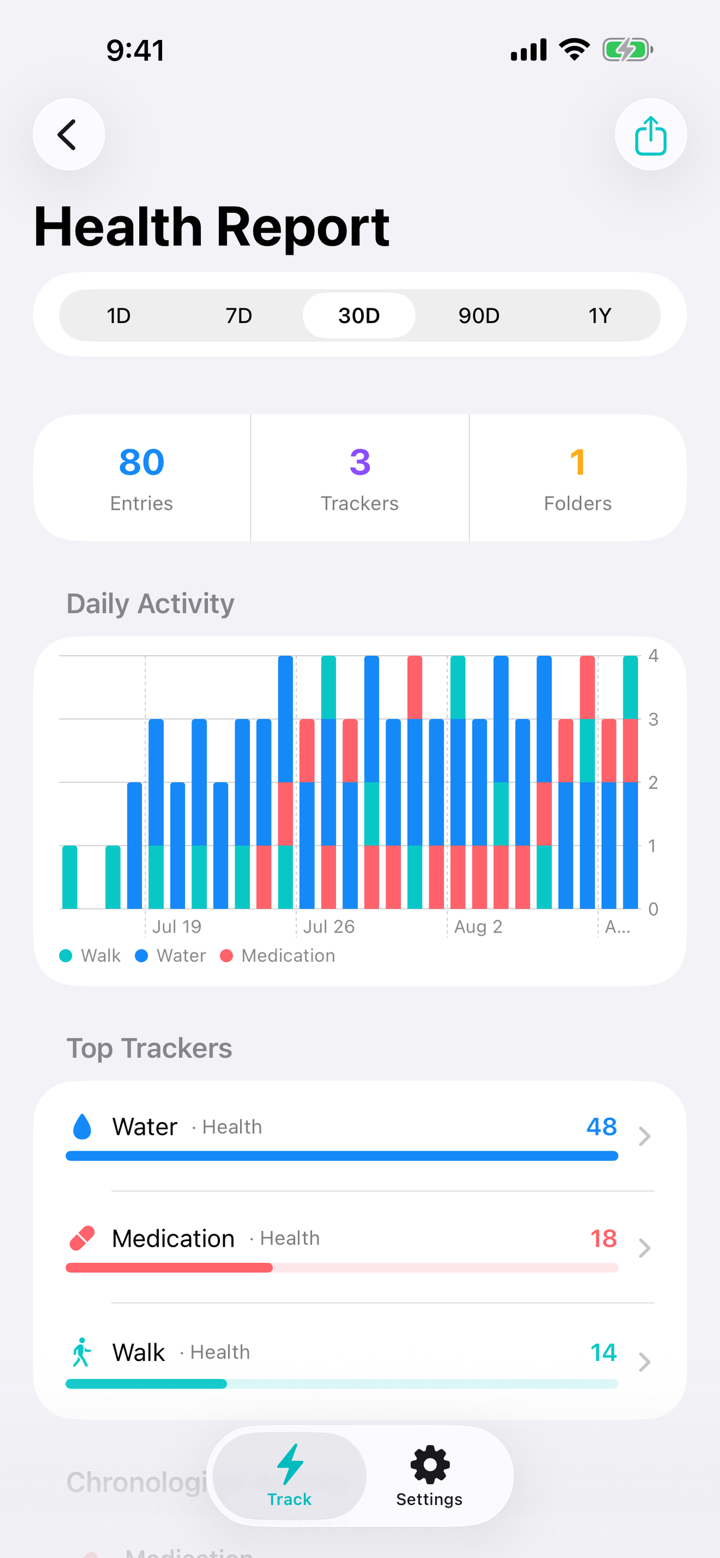
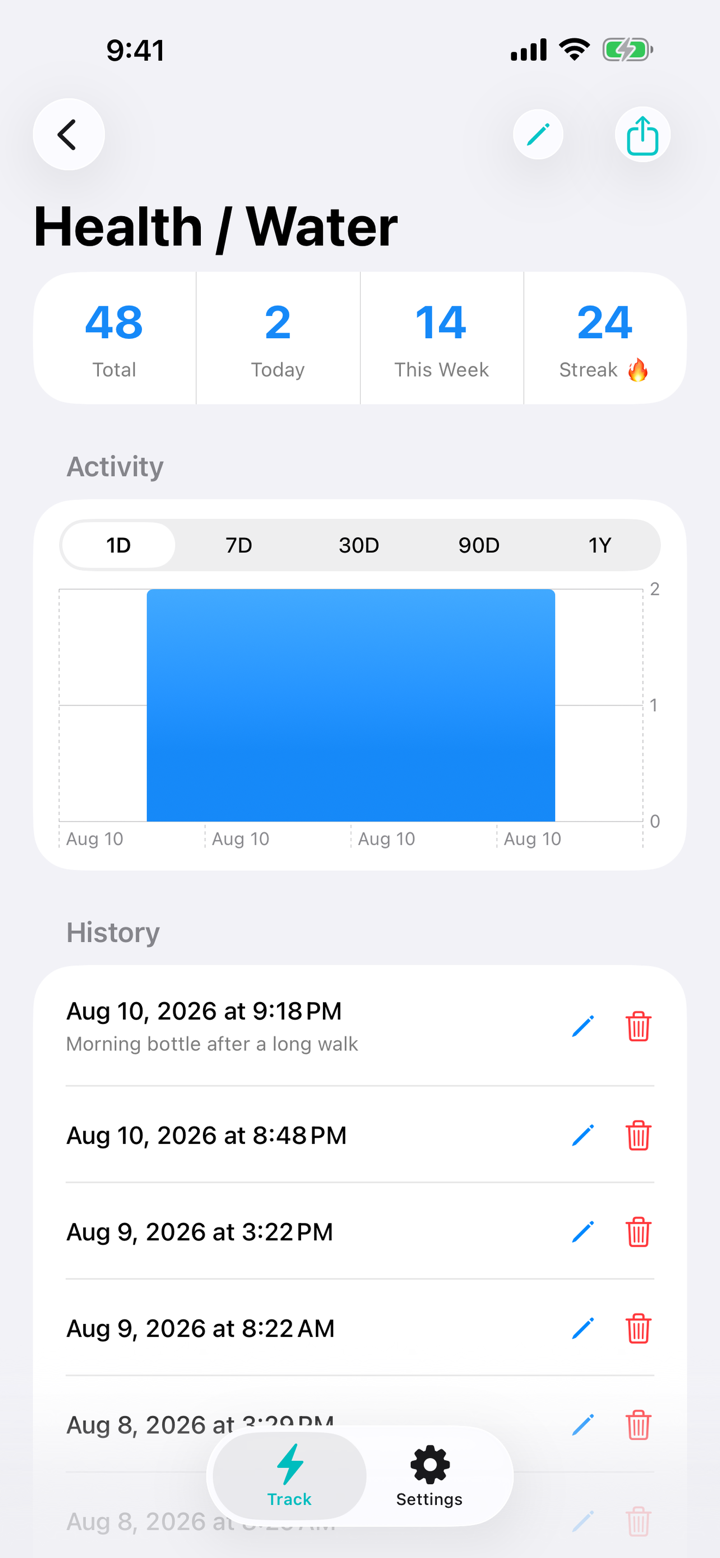
A new rolling one-day range joins 7D, 30D, 90D, and 1Y views in all-tracker, folder, and individual reports. CSV and print-ready PDF output always follows the report on screen.
Folder-aware everywhereWidgets and Apple Watch now show folder names, so similar trackers stay easy to tell apart.
A focused WatchHide any tracker from Apple Watch without removing it from iPhone, reports, exports, or backups.
Polished detailsWidget selection, onboarding, and printed report layouts are clearer throughout version 1.3.
Reporting that follows your view
Review every tracker together, focus on a folder, or dig into one tracker. Each report combines totals, charts, and a chronological history in the scope and rolling range you choose.
Track where life happens
Use the full app when you want context. Use a widget or Apple Watch when you just need the tap.
iPhone
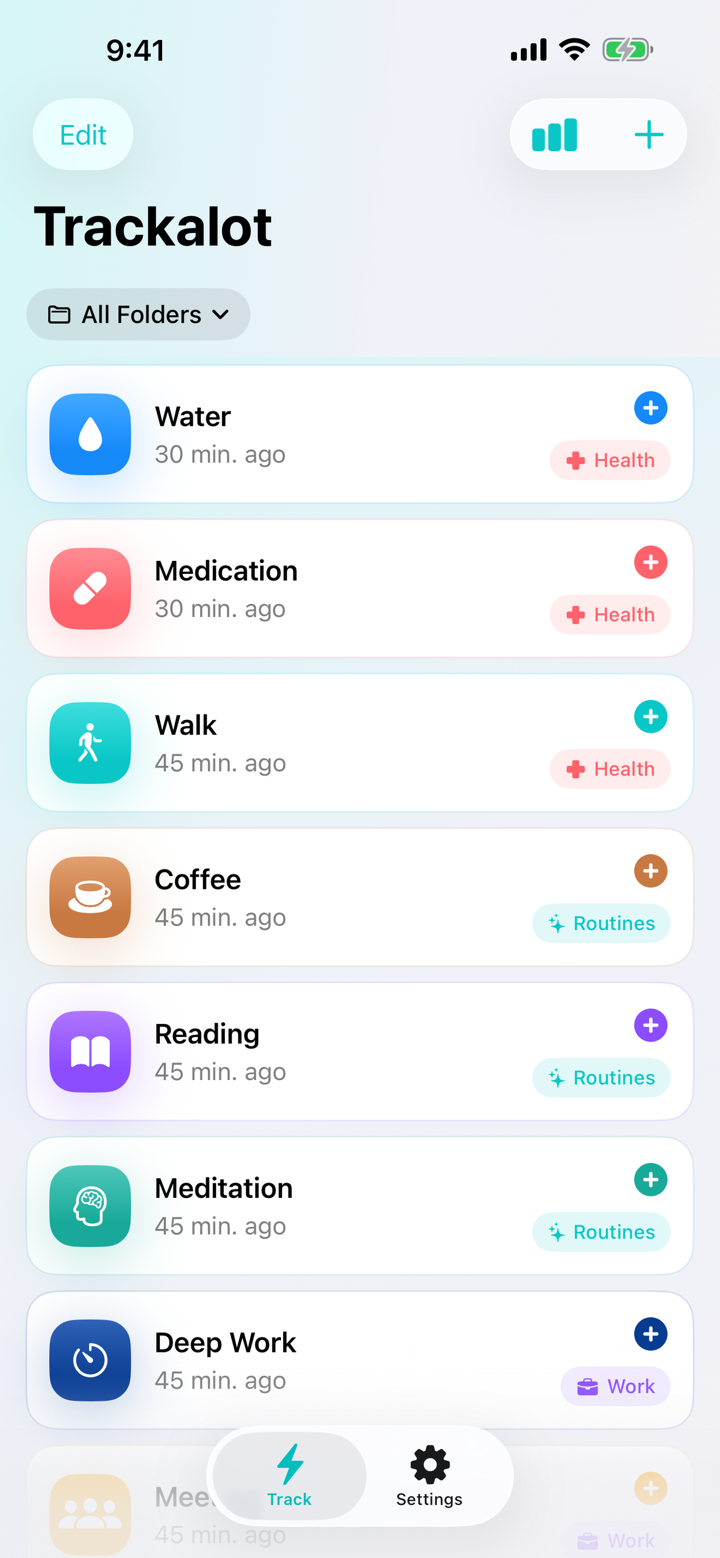
Create trackers with optional notes and numeric values, organize them in folders, search, reorder, report, export, and back up.
Home Screen widget
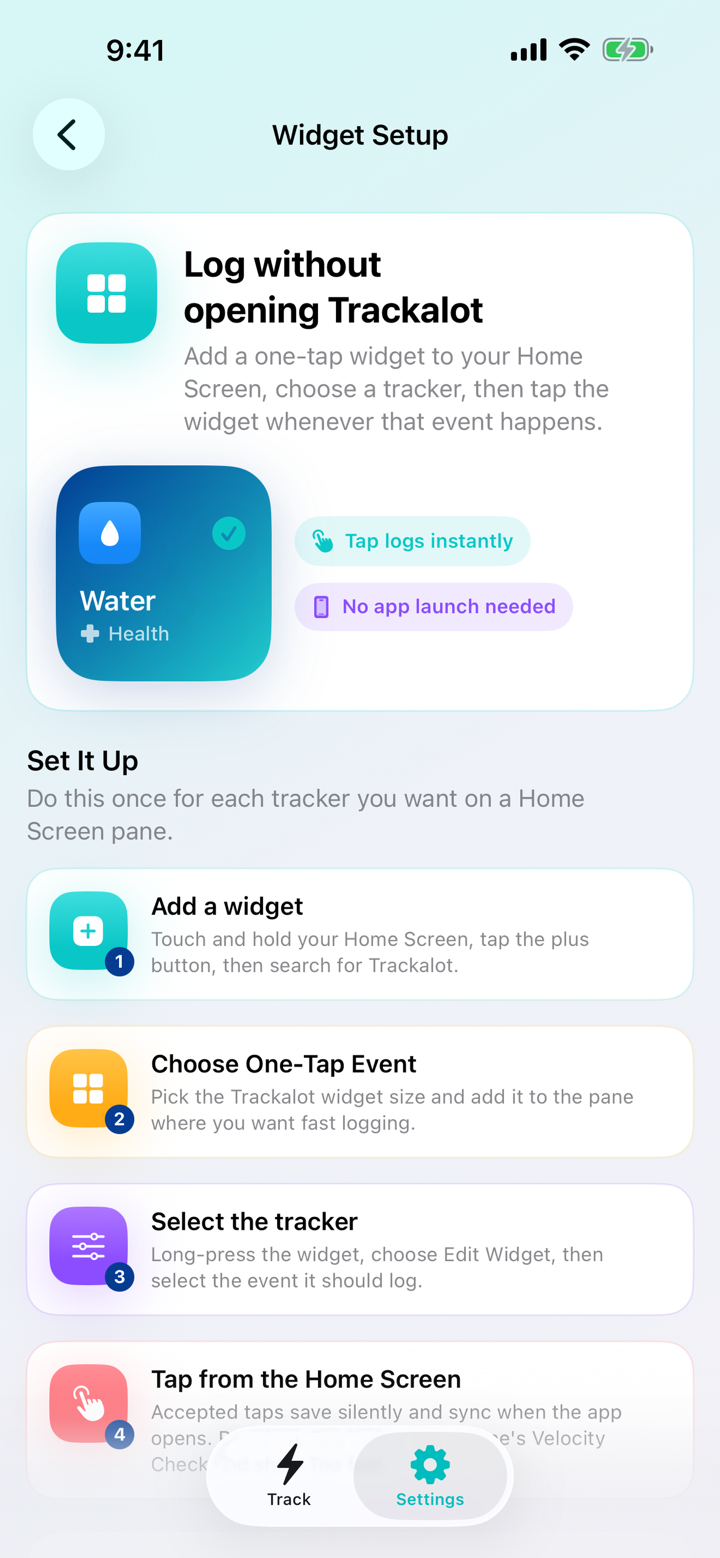
Choose a tracker, see its folder, and tap silently from the Home Screen. Velocity Check prevents a fast repeat from becoming a duplicate.
Apple Watch
Browse trackers grouped by folder, tap from your wrist, and add the Trackalot complication for quick access. Pending logs retry when your iPhone reconnects.
Apple Watch setup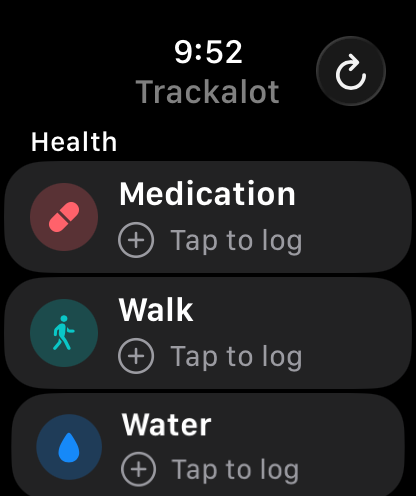
Built for repeatable moments
Hydration. Medication. Symptoms. Pet care. Workouts. Focus sessions. Meals. Mood checks. Chores. If it happens repeatedly and you want to remember it, Trackalot is ready to tap.
Optional foldersGroup related trackers or leave them uncategorized.
Notes and valuesAdd context, a custom time, or a numeric measurement.
Shortcuts and CalendarLog through Siri or Shortcuts and send tracker history to Calendar.
Portable exportsExport complete CSV or JSON data whenever you need it.
The complete version 1.3 preview
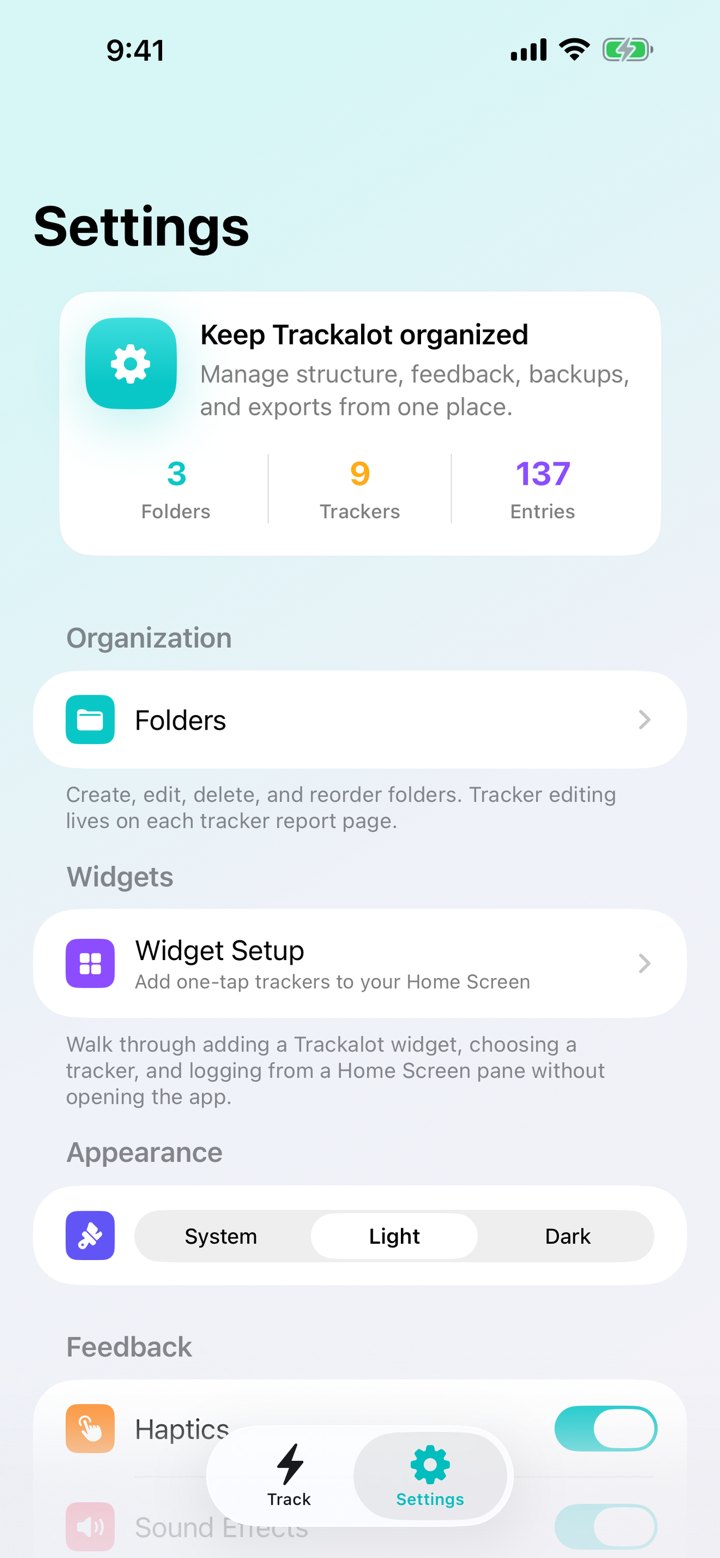
Every image below comes from the running Trackalot 1.3 app.
Private by design
Your folders, trackers, settings, and event entries stay in storage controlled by you through your Apple devices and iCloud. Trackalot has no account, no ads, and no third-party analytics. The developer never receives your tracking data.
Read the Privacy Policy
Trackalot 1.3